
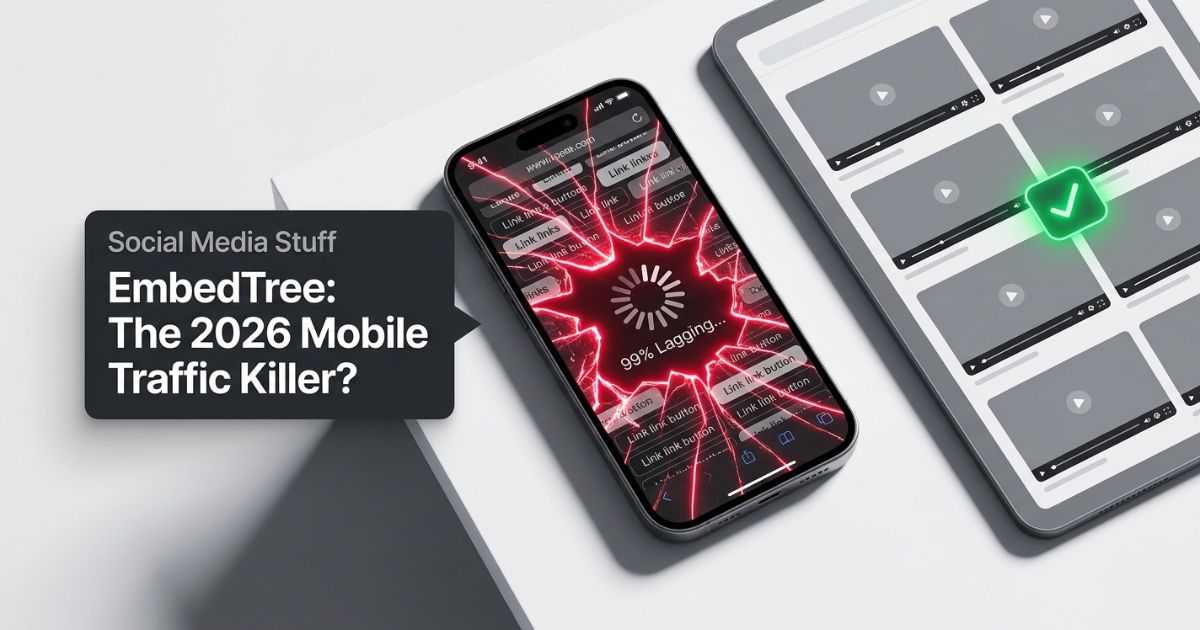
A social media stuff EmbedTree is a page on your own website. It shows your real posts, videos, and links from Instagram, TikTok, YouTube, and more — all in one place. Visitors watch your content without leaving your site.
This is more than a list of links. Live videos and photos appear right on your page. People stay longer, explore more, and you get real data about what they enjoy.
What Is a Social Media EmbedTree (and Why Creators Are Building Them)
A social media EmbedTree is your own content hub. You pick your best posts and show them on one page of your website. Visitors do not need to jump between apps. Everything lives in your space.
Basic bio link tools only show web addresses. An EmbedTree shows the real videos and images. That keeps people focused on your work instead of bouncing away.
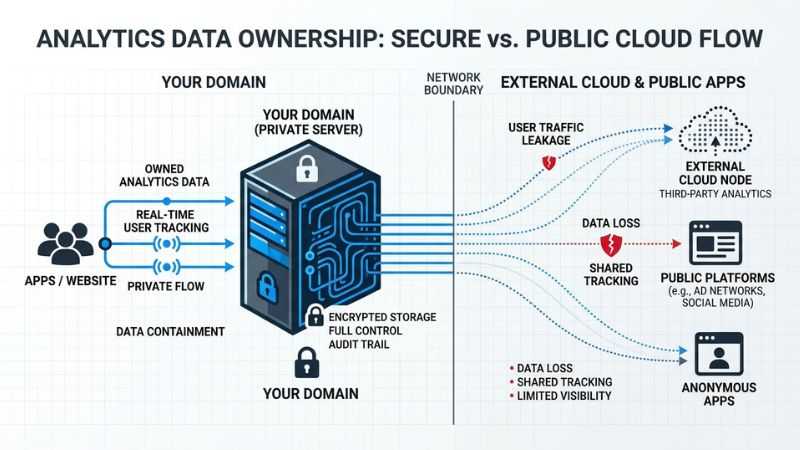
Creators choose this because it builds trust. Visitors see your content in your own style. They explore more and leave with a stronger sense of who you are. You also get better website data — like which videos hold attention — straight from your own tools, not a third-party app.
Three key wins:
- More time on your site. Real content keeps visitors reading and watching.
- Better data. Your own analytics show you exactly what works.
- Stronger brand. Everything looks and feels like you, not a generic link page.
EmbedTree vs Linktree and Other Bio Link Tools: Honest 2026 Comparison
Both options work. The better choice depends on what you need.
| What to Compare | Self-Hosted EmbedTree | Linktree-Style Tools |
|---|---|---|
| Setup time | Takes longer to set up | Very fast, minutes |
| Monthly cost | Usually free after setup | Free or paid plans |
| Design control | Full control | Limited templates |
| Performance | Needs careful tuning | Faster out of the box |
| Visitor data | Deep, on your own site | Basic, on their platform |
| Auto-sync feeds | No, manual updates | Yes, automatic |
Self-hosted wins when: You want full ownership, deep analytics, and no platform fees. You also keep visitors inside your site instead of sending them away.
Tools like Linktree win when: You need something live today, want automatic feed updates, and do not mind giving up some control.
One real problem with pure external links: they send visitors away fast. Once someone leaves your site, they are harder to reach again. A well-built EmbedTree keeps them with you.
The Big Mistake That Crashed My Site Traffic (And the Fix That Saved It)
I once loaded a single page with eight video embeds. On phones, it took forever to load. Visitors left in seconds. Instagram and TikTok scripts clashed with my site’s design. The page jumped around as things loaded. My bounce rate shot up.
The fix was small but made a huge difference. I cut it down to two featured videos at the top. Everything else became clean text links below them. The page loaded fast again. Bounce rates dropped. People started watching more.
Common problems I found along the way:
- Instagram embeds can load slowly on mobile without extra settings.
- TikTok scripts sometimes fight with other page elements.
- YouTube is the most reliable, but still needs lazy loading to stay fast.
- No exact dimensions set causes the page to jump as videos load — this annoys visitors and hurts your speed scores.
Test your page on a real phone before you share it. Desktop tests will hide most of these problems.
How Self-Hosted Social Hubs Boost SEO, Engagement, and Conversions
When visitors stay on your site longer, that sends a positive signal to search engines. It shows your page is useful. This can help your site rank better over time.
You also get clearer data. Your website analytics show which videos people watch, how long they stay, and what they click. Tools like Linktree do not give you this level of detail.
Other wins:
- Dwell time. More time on your page improves how search engines see your content.
- Internal links. You can guide visitors to your blog, shop, or newsletter from the same page.
- Social proof. Seeing real posts from your social accounts builds trust with new visitors.
- Conversions. Add a simple email sign-up or shop button next to your content and turn viewers into subscribers or customers.
A well-built hub does more than show videos. It becomes a tool for growing your audience.
Step-by-Step: Build a Fast, Mobile-Friendly Social Hub Manually (No Coding Needed)
Step 1: Create a new page
Open your website builder — WordPress, Wix, Shopify, or similar. Add a blank page. Use a full-width layout so your content has room to breathe.
Step 2: Get your embed codes
Each platform gives you an official embed code:
- YouTube: Click Share under any video, then click Embed. Copy the code.
- Instagram: Click the three dots on a post, select Embed, and copy the code.
- TikTok: Click Share, then Embed, and copy the code.
Always use the official codes from each platform. Third-party tools sometimes break.
Step 3: Organize for best flow
Put your strongest video or post at the top. Group related content together below it. Add plain text links at the bottom for everything else. Clear groups make the page easy to follow.
Step 4: Check on mobile
View the live page on your phone. Check that videos shrink to fit the screen. Fix anything that looks off before you share the link.
Free tools that help:
- WordPress users: Smash Balloon or Embed Plus for YouTube handle sizing automatically.
- Wix users: Built-in video blocks handle most embed work without extra code.
- Shopify users: Use sections with custom HTML blocks to paste embed codes.
No advanced tech skills needed for any of these.
Performance Hacks to Keep Your Embed Page Lightning Fast
Slow pages lose visitors. These steps keep your EmbedTree fast.
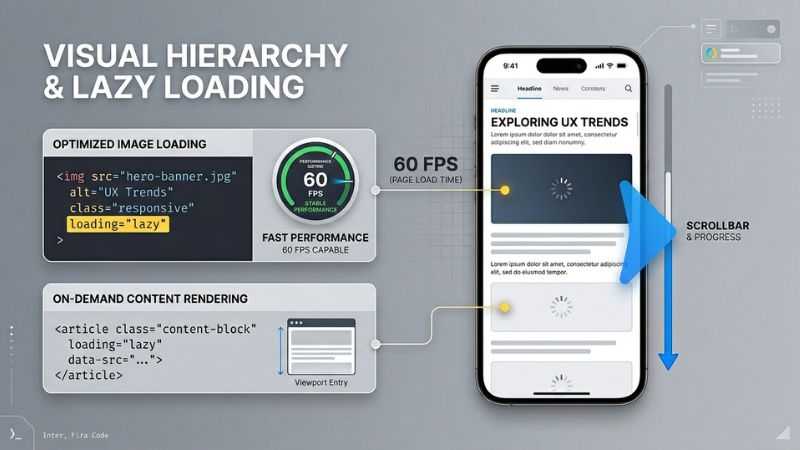
Use lazy loading. Add loading="lazy" to your embed codes. The browser then loads videos only when the visitor scrolls near them. This speeds up the initial load time.
Set exact dimensions. Add a width and height value to every embed. This tells the browser how much space to hold before the video loads. Without it, the page jumps around — which hurts both user experience and speed scores.
Limit live embeds. Two to four live video embeds is the right range for most pages. More than that slows things down. Use text links for the rest.
Use YouTube’s no-cookie embed. In your YouTube embed code, change youtube.com to youtube-nocookie.com. This cuts extra tracking scripts and speeds up load time slightly.
Test before you share. Run your page through Google’s free PageSpeed Insights tool. Fix anything scored in red before you go live.
Real results creators see after these fixes: pages that scored 40-50 on mobile speed tests often jump to 70-80 after applying lazy loading and reducing embed count.
Best Tools and Platforms for Smarter Embed Hubs (2026 Options)
A manual page works well when you post once a week or less. For busier creators, auto-updating tools save time.
| Tool | Best For | Free Plan? | Auto-Updates? |
|---|---|---|---|
| Manual (DIY) | Full control, low post volume | Yes | No |
| EmbedSocial | Businesses, reviews + social | Limited | Yes |
| Flockler | Marketing teams, multi-channel | No | Yes |
| Walls.io | Events, hashtag walls | Yes (basic) | Yes |
| Smash Balloon | WordPress users | Yes (basic) | Yes |
Start manual. Building your first hub by hand teaches you what works. Once you post often and manual updates feel slow, move to a tool.
Most paid tools cost between $20–$100 per month. Free plans usually limit how many feeds you can connect or how often content refreshes. Test free tiers before paying.
Design Tips That Make Your Hub Look Professional and Keep Visitors Scrolling
Simple designs work best. Here is what to do:
Use a plain background. White or light gray keeps eyes on your content, not the page itself.
Leave space between items. Tight layouts feel messy. Space makes each post feel important.
Group similar content. Put all your YouTube videos together. Put all your Instagram posts together. Clear groups make the page easy to scan.
Add short labels. One or two lines of text near each embed tells visitors what they are about to watch or read.
Make links and buttons stand out. Use a color that contrasts with your background so clicks and taps are easy.
What to avoid:
- Too many colors or fonts — it looks chaotic
- Large text blocks above the embeds — they push videos below the fold
- Autoplay videos — they annoy mobile visitors and slow load time
The best hubs feel calm and easy. Visitors spend more time on clean pages.
Advanced Tips: Tracking Results, Legal Notes, and Scaling Your Hub
Track what works. Connect your page to Google Analytics or your website’s built-in stats. Check which embeds get the most views and clicks. Use that data to decide what content to feature next.
Try simple tests. Swap the order of your top two videos for one week. See if one gets more views than the other. Small tests like this improve results over time without guessing.
Add conversion elements. Place a short email sign-up form near your top content. Add a shop link with a clear label. These small additions turn viewers into subscribers or customers.
Know the legal basics:
- Only embed posts that are set to public on the original platform.
- Do not embed content you do not have rights to use commercially.
- Instagram, TikTok, and YouTube each have their own terms about embedding. Read them if you plan to use embeds for business purposes.
- Some countries have strict data privacy rules about third-party scripts. Check what applies to your audience.
Scale over time. Add new posts monthly. Remove old content that no longer reflects your work. A hub that stays fresh keeps visitors coming back.
Quick Answers to Common EmbedTree Questions
Is EmbedTree a real app or platform?
No single official app uses this name. “Social media stuff EmbedTree” describes a style of self-built page. You build it yourself on your own website, or use a helper tool like EmbedSocial or Walls.io.
Will embedding videos slow my site down?
It can — but only if you add too many at once. Use lazy loading, set exact dimensions, and keep live embeds to four or fewer. These steps prevent most slowdowns.
How many embeds should I add?
Start with two to four featured videos or posts. Add everything else as plain text links. This balance keeps the page fast and easy to use.
What if I am not comfortable with tech?
Use a drag-and-drop website builder. Wix, Squarespace, and WordPress.com all let you paste embed codes without touching any real code. Or choose an aggregator tool that gives you ready-made code to paste in one click.
Are there differences between platforms?
Yes. YouTube embeds are the easiest and most reliable. Instagram embeds need extra attention on mobile to display correctly. TikTok embeds can conflict with some website themes. Always test each one on your phone before going live.
Is this safe for my website?
Yes, when done correctly. Use official embed codes only. Avoid third-party embed generators with unknown scripts. Keep your website software updated.
Pre-Launch Checklist + Next Steps for Maximum Impact
Before you share your hub, run through this list:
- [ ] Test every video on a phone and a desktop
- [ ] Test every link — make sure none are broken
- [ ] Run a speed test on PageSpeed Insights and fix red scores
- [ ] Check that your brand colors show correctly
- [ ] Add at least one clear next step for visitors (“Watch more,” “Join my list,” “Shop now”)
- [ ] Make sure the page title describes the page clearly
- [ ] Set up analytics tracking before you launch
After launch:
- Share the page in your bio across all platforms
- Check your analytics after the first week
- Note which embeds get the most time and clicks
- Update the page with fresh content every month
Build your social media stuff EmbedTree one step at a time. Start with two or three embeds. Test everything on mobile. Add more as you learn what works. A simple, fast page always beats a complex slow one.
You May Also Like:
Geometry Learn V3: Free Interactive Tool to Learn Geometry Online
Prosecchini: What Are These Mini Prosecco Bottles? Complete Guide
Disclaimer: We provide information to help you build your website page. We do not own any tool named EmbedTree. We are independent researchers. Some helpful charts and graphics on this page are generated with AI tools to make things easier to see. Always check your own site setup before going live.

Hi, I’m Emma Rose, the creative heart of Punstation.com. With a background in crafting hundreds of engaging guides and clever wordplay, I specialize in making complex information easy and fun to digest. Whether I’m diving into technical trends, lifestyle hacks, or my signature witty puns, my goal is to provide high-quality, research-backed content that solves problems and brings a smile to your face. For me, every topic—from tech to humor—is an opportunity to share clear, expert insights with a fresh perspective.