
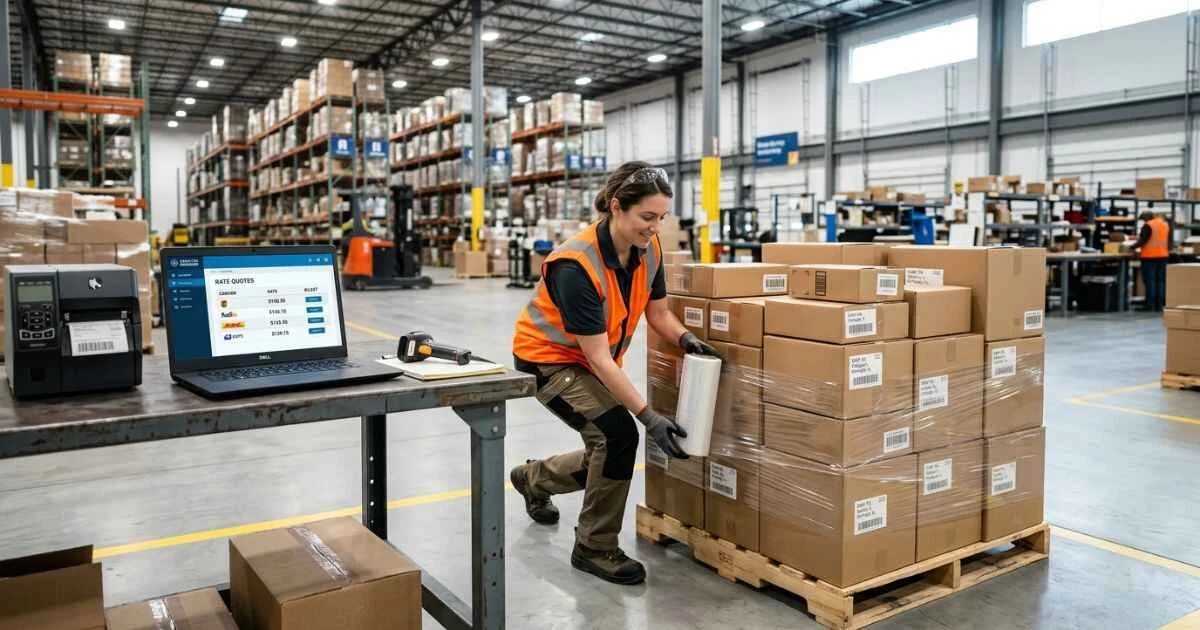
Freightcom is a website that helps Canadian businesses ship items. It lets you compare prices from different delivery companies, book orders, and track your packages all in one place.
Freightcom works with carrier partners that pick up, transport, and deliver shipments.
Quick Action Links:
What is Freightcom, and who is it for?
Freightcom is an online website that helps businesses ship boxes and large freight. Freightcom gets special discounted prices from delivery companies. Businesses use it to compare shipping costs, print labels, set up pickups, and pay bills in one easy dashboard.
Freightcom at a Glance
| Feature | Details |
| Business Model | Online shipping tool and price comparison site |
| Shipment Types | Letters, small boxes, large packages, wooden pallets (LTL), and border shipping |
| Primary Markets | Shipping within Canada, Canada–U.S. and U.S.–Canada cross-border services, plus international parcel services from Canada where available |
| Core Workflow | Compare prices, book orders, print labels, schedule pickups, and track items |
| Platform Fees | No monthly fees or sign-up costs (you only pay for shipments you book) |
| Notable Limitations | For LTL shipments, pickup and transit times are estimates and are not guaranteed. Parcel-service commitments, where available, depend on the selected carrier and service terms |
Is Freightcom a carrier, broker, or shipping platform?
Freightcom is a shipping-management platform that connects businesses with carrier-partner shipping services.
Here is who handles each part of your delivery:
- The Shipping Platform: Provides shipping tools, access to discounted carrier rates, tracking, invoicing features, and customer support options.
- The Transport Carrier: Drives the trucks, picks up packages, moves items, and makes the final delivery.
- The Customs Broker: A customs broker may help clear goods on an importer’s behalf, but the importer remains responsible for accurate customs information, duties, taxes, and compliance.
The businesses most likely to benefit
- Small and Medium Businesses: Small and medium businesses that want to compare carrier options without maintaining multiple direct carrier accounts.
- Online Stores: Stores that send daily orders to customers across Canada or the U.S.
- Pallet Shippers: Businesses moving heavy items on wooden skids between stores and warehouses.
- Business Teams: Companies with multiple workers who need to ship items and see billing history in one account.
When Freightcom may not be the best fit
- Special Cargo: Specialized, temperature-sensitive, hazardous-material, oversized, or equipment-specific shipments may require a spot quote and confirmation of carrier eligibility.
- Very Large Companies: High-volume shippers who already have their own direct discounts with truck companies.
- Complex Global Freight: Businesses with complex international freight requirements should confirm Freightcom’s current service scope for their transport mode, countries, commodity, and customs needs.
How Freightcom shipping works from quote to delivery
Shipping an item takes five simple steps: pick a shipment type, enter package size, compare prices, print labels, and track the delivery.
Step 1: Choose the right shipment type
Picking the right option keeps your items safe and prevents extra fees:
- Envelope & PAK: Small documents, flat packages, or light items.
- Parcel / Courier: Standard boxes up to normal size and weight limits.
- LTL (Less-Than-Truckload): Heavy items packed on wooden pallets that share space on a big truck.
- PTL / FTL & Spot Quotes: Larger, specialized, oversized, time-sensitive, or non-standard shipments that may need partial truckload, full truckload, or custom carrier pricing.
Step 2: Enter shipment information accurately
You must enter correct details to get an accurate price:

- Addresses: Exact origin and destination postal codes or ZIP codes.
- Location Types: Identify whether the address is commercial, residential, or potentially limited access under the selected carrier’s rules.
- Dimensions and Weight: Use a scale to weigh the item and a tape measure to measure length, width, and height.
- Freight Class: For applicable LTL shipments, provide accurate dimensions, weight, and commodity details, then verify the appropriate NMFC classification when required.
- Measured cargo all the way to the outer edges (including the pallet)?
- Entered exact weight and size, rounding up if needed to avoid extra fees?
- Checked if the destination is a business or a home?
- Checked if the pickup place needs a special liftgate truck?
Step 3: Compare carrier options and choose service
The system shows you a list of delivery options based on your package details.
| Comparison Factor | Quoted Service Type | Transit Time & Pickup Date | Extra Fees & Terms | Guarantees |
| Option Assessment | Compare basic ground shipping with fast express options | Check delivery speeds and scheduled pickup dates | Look out for residential or liftgate fees | Check if the carrier offers refunds for late shipments |
Step 4: Book, create documents, and prepare for pickup
Once you confirm your order, print your paperwork:
- Courier Shipments: Tape the barcode label onto the box.
- LTL Shipments: Print the Bill of Lading generated for the shipment and follow the carrier’s current pickup and signature instructions.
Step 5: Track shipment status and manage exceptions
Follow your shipment using your online dashboard. If a driver is late or bad weather delays transit, use your tracking number to check updates or call support.
Freightcom rates, fees, and billing risks to understand
Prices are calculated using package weight, box size, distance, delivery speed, and extra services.
How shipping rates are calculated
For parcel and courier shipments, carriers may charge based on actual weight or dimensional weight, whichever is higher. LTL pallet quotes can also vary by carrier, lane, commodity, classification, shipment dimensions, pickup/delivery conditions, and requested services.
What “no monthly fee” means
Freightcom is free to join and has no monthly subscriptions. You only pay for the orders you ship. However, your final bill can be higher if package measurements are wrong.
Quote price versus final invoice
Your final bill may change if a carrier reweighs, remeasures, reclassifies, or identifies an unquoted service requirement.
| Extra Charge | Why It Happens | How to Avoid It |
| Reweigh Fee | The scale shows the box weighs more than you entered | Weigh the whole shipment, including boxes, tape, and pallets |
| Reclassification | The wrong category code was picked for pallet freight | Use an accurate calculator or check code guides before booking |
| Residential Delivery | Confirm whether the carrier classifies the pickup or delivery address as residential during quoting | Always check the “residential” box when getting a quote |
| Liftgate Service | The building does not have a loading dock or forklift | Request a liftgate truck when booking the shipment |
| Limited Access | Limited-access fees may apply where a non-residential location does not meet standard commercial pickup or delivery conditions; verify this before booking | Select “limited access” before paying for the booking |
Freightcom for Canada–U.S. shipping and eCommerce
Shipping across the border needs complete commercial documents and clear product details.
Cross-border shipping basics
Sending goods between Canada and the United States requires government paperwork. Missing or wrong information can cause border delays, extra holds, or returned shipments.
Documents and data to prepare

- Commercial Invoice: A customs document listing the buyer, seller, goods, and declared value. Follow the carrier, broker, and destination-country requirements for submission.
- HS Codes: Use the tariff classification required by the importing country and shipment process; confirm the appropriate HS/HTS code with a qualified customs adviser when necessary.
- Customs Broker Info: If you use a customs broker, provide the broker information required by the carrier or customs process.
- Submit customs documents according to the current instructions of the carrier, broker, and destination-country customs process.
- Added correct HS tariff codes for each item.
- Listed where the items were made (country of origin).
- Included your customs broker details if you are using one.
What ClickShip is and how it relates to Freightcom
ClickShip is Freightcom’s eCommerce management platform for online-store and marketplace shipping workflows. Freightcom supports broader business shipping workflows, while ClickShip focuses more directly on eCommerce storefront and marketplace integrations.
| Feature | Freightcom | ClickShip |
| Primary Audience | Business shippers, warehouses, and pallet users | Online store owners and e-commerce sellers |
| Store Integrations | Freightcom offers a customer API and invoicing/billing functionality; confirm current integrations before naming specific accounting platforms | Direct links to Shopify, WooCommerce, Amazon, and eBay |
| Main Focus | Business shipping management for parcel, courier, LTL, cross-border, and specialized shipping workflows | eCommerce order syncing, shipping-label workflows, fulfillment tools, and package tracking |
| Automation Tools | Easy shipping labels, pickup setups, and clear billing | Automatic store syncing and custom branded tracking pages |
Is Freightcom the right shipping solution for your business?
Choosing between Freightcom, a direct account with a courier, or another service depends on how much you ship and what items you send.
Freightcom versus direct carrier accounts
- Direct Accounts: Direct carrier accounts may suit businesses that have sufficient volume and shipment consistency to negotiate and manage carrier-specific contracts.
- Freightcom: Freightcom may suit small and medium businesses that want to compare carrier options and access discounted rates without upfront or monthly platform fees.
Decision matrix: Choosing your shipping model
| Business Need | Freightcom | Direct Carrier | Specialized 3PL |
| Mixed Parcel & LTL Needs | May be suitable | May be suitable | May be suitable |
| Low to Mid Volume Discounts | May be suitable | Depends on carrier, volume, service area, and contract | May be suitable |
| Single Fleet Control | Depends on carrier, volume, service area, and contract | May be suitable | Depends on carrier, volume, service area, and contract |
| Dedicated Warehouse Storage | Available through Freightcom Fulfillment | Varies by carrier and contract | May be suitable |
Frequently Asked Questions
What does Freightcom do?
Freightcom is an online website that lets businesses compare delivery prices, book shipments, print labels, and track packages in one account.
Is Freightcom a shipping carrier?
Freightcom provides shipping software and access to discounted carrier rates, while carrier partners transport and deliver shipments.
How do I track a Freightcom shipment?
Log into your Freightcom account and use the current tracking workflow. Where a carrier tracking link or number is provided, you may also be able to check status on the carrier’s website.
Does Freightcom have monthly fees?
No. Freightcom has no sign-up costs or monthly fees. You only pay for shipments you actually book.
Can Freightcom ship LTL pallets?
Yes. Freightcom handles pallet shipping across Canada and between Canada and the United States.
Can Freightcom ship from Canada to the U.S.?
Yes. Freightcom offers Canada–U.S. cross-border parcel and LTL services. Shippers must meet applicable carrier, customs, and documentation requirements.
What is ClickShip, and how is it related to Freightcom?
ClickShip is an e-commerce shipping app created by Freightcom. It connects to online stores such as Shopify to automate order syncing, shipping-label workflows, fulfillment tasks, and tracking updates.
What can cause extra shipping charges after booking?
Extra costs happen if a package weighs more than listed, if dimensions are wrong, or if extra help like a liftgate or home delivery is needed.
Next Steps for Your Business
Check your recent shipping receipts to find your most common routes, average package sizes, and monthly spending. Then compare those costs with live Freightcom quotes to evaluate the estimated total shipping cost for your current shipment profile.
You May Also Like:
Coldmags com: What It Is, Is It Safe, and Why Search Results Look Mixed
Foenegriek (Fenegriek / Fenugreek / Methi): Benefits, Uses, Side Effects & Practical Guide
Disclaimer: This article is for informational purposes only. We are not Freightcom and are not affiliated with them. Shipping rules, prices, and services can change at any time. Some images used in this guide were made with AI for illustration purposes. Please check Freightcom’s official website for the most up-to-date details.

Hi, I’m Emma Rose, the creative founder of Punstation.com. With a background in crafting hundreds of engaging guides and clever wordplay, I specialize in making complex information easy and fun to digest. Whether I’m exploring technical trends, lifestyle ideas, or creating my signature witty puns, my goal is to provide useful, well-researched content that helps solve problems and brings a smile to your face. For me, every topic, from tech to humor, is an opportunity to share clear, practical insights with a fresh perspective.