
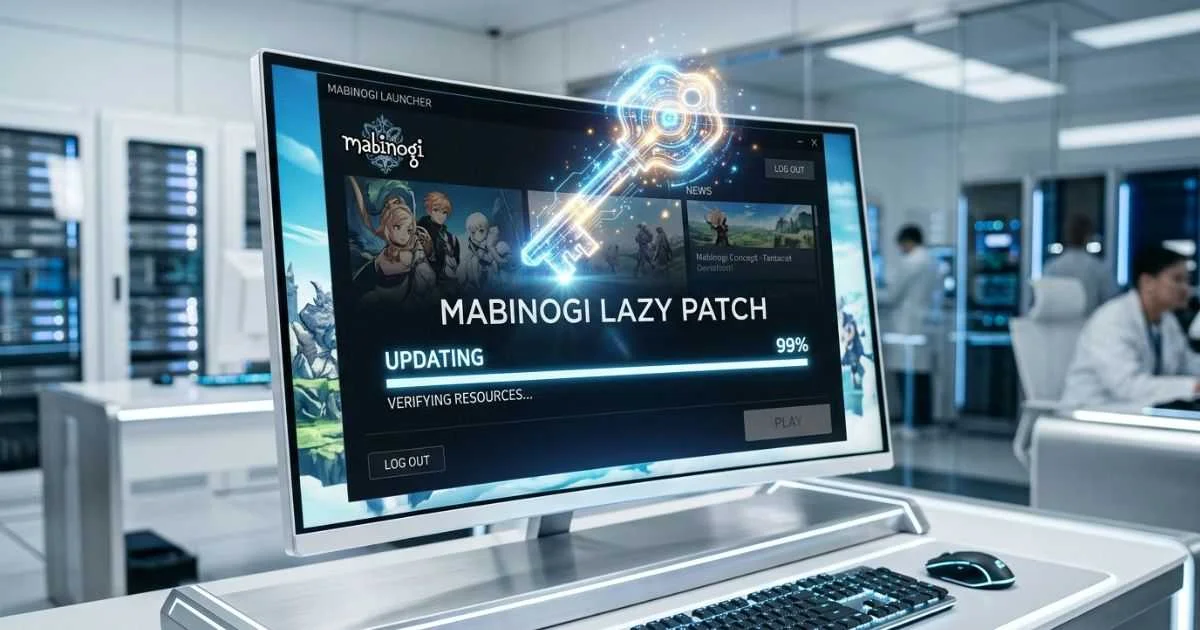
The phrase “Mabinogi Lazy Patch” means different things to different players. It might refer to player-made update tools. It could mean a real item inside the game. Or it might just be a joke about taking shortcuts. None of these patch tools come from Nexon. Always use the official game launcher to keep your account safe.
What Is Mabinogi Lazy Patch?
“Mabinogi Lazy Patch” is a community term, not an official Nexon feature. It refers to unofficial update scripts, community download tools, and player shortcuts used to get around slow or broken update processes. Nexon never created or approved any of these tools. Using them carries real risks to your account and your computer.
The 3 Meanings of “Lazy Patch” in Mabinogi
When players talk about this on Reddit or Discord, they usually mean one of three things.
1. The Lazy Enchant Scroll
This is a real item inside the game. It is a Prefix Enchant Scroll that only works on headgear like helmets. It gives your character a boost to Max Damage and Critical rate. You can find it as a drop from end chests in dungeons like Alby Advanced and Ciar Advanced. Check the Mabinogi World Wiki for the exact current stats, as enchant values can change with game updates.
2. Community Patch Tools
These are unofficial programs and scripts made by players. One widely known example is an open-source Python script called mabi-patch-thing, created by a community developer on GitHub. It downloads game update files directly from Nexon’s update servers, bypassing the official launcher when it freezes. Another tool sometimes mentioned in community discussions is PowerPatcher, which works similarly. Neither tool is endorsed by Nexon.
3. Player Slang for Shortcuts
Sometimes players use the phrase as a joke. It just means they are using quick paths to skip boring daily tasks — like fast routes in commerce barters or using the fastest travel method available. There is no real game feature behind it.
Why Players Build Their Own Patch Tools
The Nexon Launcher is the root cause of most of this frustration. During large updates, the launcher checks every single game file from start to finish. If your internet drops for even a second, the download freezes completely.
Mabinogi runs on an old game engine called the Pleione Engine. This engine packs all game data — images, sounds, maps — into large compressed files called .pack files. The engine has one important rule: loose, unzipped files placed inside the game folder get read first before the packed files.
The official launcher takes a long time to verify these huge packed files. This is what causes players to get stuck at 0% or 99% download. Because of this repeated frustration, players created tools that skip the full verification and drop loose files directly into the game folder instead.
Steam vs Nexon Launcher — Which Is Better in Practice
You can play Mabinogi through either the standalone Nexon Launcher or Steam. Both work, but they handle updates differently.
Steam breaks updates into small chunks and remembers exactly where it stopped if your download is interrupted. File verification on Steam is also much faster because it only checks changed files, not the entire game. This makes it a better choice for players on limited data plans or unstable connections.
The Nexon Launcher connects directly to Nexon’s servers and includes a built-in Repair Installation tool. It is simpler to set up, but it is more likely to freeze if your connection speed changes during a download.
To switch to Steam, download Steam and search for Mabinogi. When the game launches, link your existing Nexon account. You keep all your characters and progress — nothing is lost.
Fix Common Nexon Launcher Problems Step-by-Step
You do not need any unofficial tools to fix a broken launcher. Most problems have simple official solutions.
Stuck at 0%
This usually happens because old temporary files are blocking the launcher.
- Close the Nexon Launcher completely.
- Press Ctrl + Shift + Esc to open Task Manager. Make sure
NexonLauncher.exeis fully closed. - Open your Mabinogi installation folder. On most Windows computers, it is inside
C:\Program Files (x86)\Nexon\Library\mabinogi\appdata. The exact path may vary depending on where you installed the game. - Delete the temporary cache folders inside that directory.
- Restart the launcher.
Stuck at 99% or Keeps Looping
This is usually a network timeout. It happens as the launcher tries to confirm the final files.
- Turn off your router. Wait 30 seconds and turn it back on.
- Open the Windows Start menu, type CMD, and open Command Prompt.
- Type
ipconfig /flushdnsand press Enter. - Reopen the launcher and try the update again.
Using the Official Repair Tools
If the above steps do not work, use the built-in repair options. Do not uninstall and reinstall the entire game unless nothing else works — a full reinstall forces a very large download that is easy to avoid.
- Nexon Launcher: Click the Gear Icon next to the Play button on the Mabinogi page. Select Repair Installation and wait for the scan to complete.
- Steam: Right-click Mabinogi in your Steam Library. Go to Properties, open the Installed Files tab, and click Verify integrity of game files.
Manual Cleanup Without Third-Party Tools
If repairs fail, you can manually delete only the broken files. Navigate to your game’s data subfolder and remove any loose files that were not part of the original install. Then run the official Repair tool to replace them cleanly.

Bandwidth & Data Saving Tips for Limited Connections
Official game updates use incremental patching. This means the launcher only downloads the files that actually changed — not the entire game. This saves a significant amount of data compared to a full reinstall.
To reduce data usage further, turn off automatic background updates inside the launcher settings. Schedule large updates for late at night when your network is less busy and speeds are more stable.
If your game crashes, always run the Repair Installation tool first. A repair scan downloads far less data than a full reinstall. Only do a full reinstall if the repair tool itself fails to fix the problem.
Risks of Using Community Patch Scripts & Tools
Using player-made patch tools comes with real dangers. It is important to understand both the account risk and the security risk before trying any of them.
Account Risk: Nexon’s anti-cheat system checks your game files every time you log in. If your files do not match what Nexon expects, your account can be permanently banned. This applies to any third-party tool that modifies or replaces game files, including community download scripts.
Security Risk: There is a big difference between types of community tools. Open-source scripts on GitHub show their full code. Anyone who understands programming can check them for anything dangerous. Pre-compiled .exe installer files downloaded from forums are a completely different story. These can easily hide malware or keyloggers that steal your account password in the background without you knowing.
The safest position is to avoid all third-party patch tools entirely and use only the official Nexon Launcher or Steam.
Safe Official Ways to Speed Up Updates & Reduce Grind
You can make the game load faster and feel smoother without touching any unofficial tools. These settings are all inside the game itself.
Skip Cutscenes: Open the in-game Options menu. Go to the Game tab and find the Interface section. Enable the options to skip previously viewed cutscenes and main story videos. This saves a large amount of time during long story quests.
Reduce Graphic Load: Inside the Video settings, lower the Nameplate Count to the minimum setting. Lower the Effect Opacity slider and enable the option to hide custom player outfits. These changes stop the Pleione Engine from slowing down during busy in-game events.
These two adjustments alone make a noticeable difference in how smoothly the game runs, with no risk to your account.
Mabinogi Eternity — The End of Old Patch Tricks
Nexon is working on a major project called Mabinogi Eternity. This will move the entire game away from the old Pleione Engine and rebuild it inside Unreal Engine 5.
This change makes all existing community patch tools permanently obsolete. Unreal Engine 5 uses a completely different file format. The old .pack file system and the loose file override method will not exist in the new version. Every Python script and community patcher built around Pleione will simply stop working after the migration.
The good news is that the new engine has modern file tracking built in. The bugs that cause the 0% and 99% download freezes are tied to Pleione’s old architecture. Eternity is expected to fix these problems at their root.
To prepare now, back up your screenshots and any custom settings profiles before the update arrives. A fresh install will likely be required when Eternity launches. Do not rely on any community tools or file overrides you currently use — plan for them to stop working.

Myths vs Facts
Myth: “Lazy Patch” is an official Nexon tool built to help players with slow internet.
Fact: There is no official tool by this name. It is entirely player-made slang with no connection to Nexon.
Myth: All community patch tools found online are completely safe to use.
Fact: Many files shared on forums contain malware. Even clean tools can trigger a permanent ban because they modify game files.
Myth: Third-party patch tools change core gameplay and give unfair advantages.
Fact: Most basic patch tools only speed up file downloads. However, any file modification still violates the Terms of Service regardless of what it does.
Myth: Mabinogi updates will always be this slow and broken.
Fact: The upcoming Mabinogi Eternity update rebuilds the game on Unreal Engine 5, which is expected to fix the core patching problems for good.
People Also Ask
Where can I find the Lazy Enchant Scroll and what does it do?
The Lazy Enchant Scroll is found in end chests in dungeons like Alby Advanced and Ciar Advanced. It is a Prefix enchant for helmets only. For the exact current stat numbers, check the Mabinogi World Wiki, as values can change between game updates.
How do I clear my Nexon Launcher cache?
Close the launcher completely and end its process in Task Manager. Navigate to your Mabinogi installation folder and find the appdata subfolder. Delete the temporary files inside and restart the launcher.
Is modifying Mabinogi files bannable?
Yes. Nexon’s anti-cheat system checks file integrity at login. Any file that does not match the official version can trigger a permanent ban, including files changed by community patch tools.
Will old mods and patch scripts work after Mabinogi Eternity?
No. The shift to Unreal Engine 5 changes the entire file structure. The loose file override method and all Pleione-based community tools will stop working completely after the migration.
Should I use Steam or the Nexon Launcher for fewer update problems?
Most players report fewer issues on Steam. Its download system handles interruptions better and file verification is faster. If you are on a limited data connection, Steam is the stronger choice.
How do I fix Mabinogi if it keeps updating in a loop?
Flush your DNS using the Command Prompt (ipconfig /flushdns), then run the official Repair Installation tool from the launcher. This resolves most looping update issues without needing any third-party tools.
Safety Checklist Before Using Any Patch Tool
If you decide to try a community tool despite the risks, follow these steps first.
- Back up your game files. Copy your entire Mabinogi installation folder to an external drive before making any changes.
- Check recent community feedback. Visit the official Mabinogi Discord server and look for recent reports about the specific tool you are considering. If others are reporting bans, stop.
- Avoid executable files. Never run a random
.exepatch installer from a forum post. Only consider open-source scripts where the full code is publicly visible and reviewable. - Run the official repair tool regularly. After every major game update, run Repair Installation once to keep your files clean and verified. Only do a full reinstall if the repair tool itself cannot fix your problem.
You May Also Like:
Droven IO Cybersecurity Updates: Real Truth, Safety Guide & 2026 Automation Protection
How to Cancel Game Mopfell78 and Stop Mystery Charges on Your Statement
Disclaimer:
This guide is for informational purposes only. We do not endorse or support the use of third-party scripts or game file modifications, which may violate Nexon’s Terms of Service and lead to account bans. Some imagery in this article is generated with AI to assist with visual clarity. Always use official launchers and verify files through authorized channels to protect your account security and computer integrity.

Hi, I’m Emma Rose, the creative founder of Punstation.com. With a background in crafting hundreds of engaging guides and clever wordplay, I specialize in making complex information easy and fun to digest. Whether I’m exploring technical trends, lifestyle ideas, or creating my signature witty puns, my goal is to provide useful, well-researched content that helps solve problems and brings a smile to your face. For me, every topic, from tech to humor, is an opportunity to share clear, practical insights with a fresh perspective.